Create Request
Create the new request by selecting or drag drop the file/files. The user friendly screen helps to easily navigate through the various options.
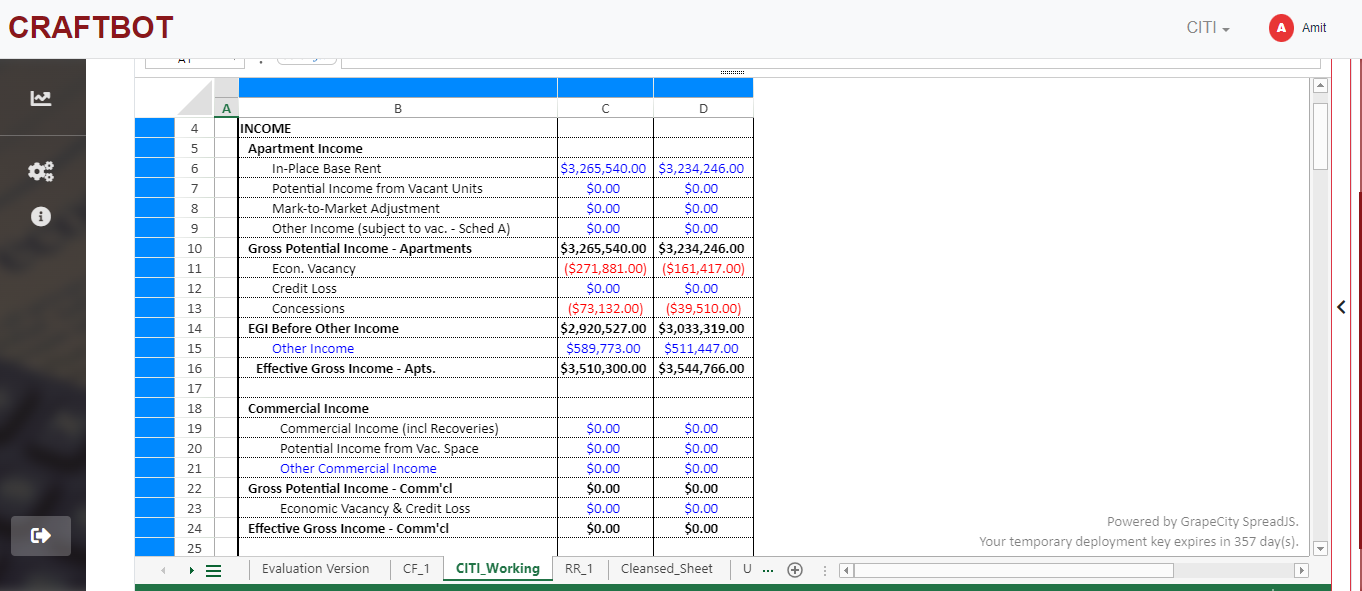
CRAFTBOT is a commercial real estate, property specific, automated system - designed to import and spread rent rolls and property level financial due diligence in any format into your proprietary underwriting and sizing / pre-screening models in a seamless, precise, and efficient manner. Within seconds, CRAFTBOT will normalize and customize this analysis via integrated AI learning technology to suit your desired underwriting / sizing preferences and practices across all asset classes and debt products.
CRAFTBOT delivers measurable business benefits by reducing costs, errors and optimizing business outcomes. Our cutting edge AI-powered automation tool will help maximize your platform’s lending capacity while also generating a significant competitive time and cost advantage to your firm.
Size / Pre-screen and underwrite confidently, efficiently, accurately and competitively with MCube Financial’s CRAFTBOT.

The AI is combined with the rule based automation to create “Intelligent Automation” to understand client preferences and help achieving faster results.

CRAFTBOT enables accelerating workflows and enabling more work to get done by executing processes independently.

The interactive GUI and code free interface enables users to quickly select and process files and start driving ROI.

CRAFTBOT enables processing of high deal volume and business processes to be more elastic and able to adapt in the continuously changing CRE environment.

CRAFTBOT gives flexibility to users to get certain customization done based on their preference. And in case you decide to change the process or CRE model, then don’t worry, we got you covered. Our 24x7 support team will assist you in making any updates to the database and the output preference.

Eliminate rework and generate perfectly populated CRE model.
Create the new request by selecting or drag drop the file/files. The user friendly screen helps to easily navigate through the various options.
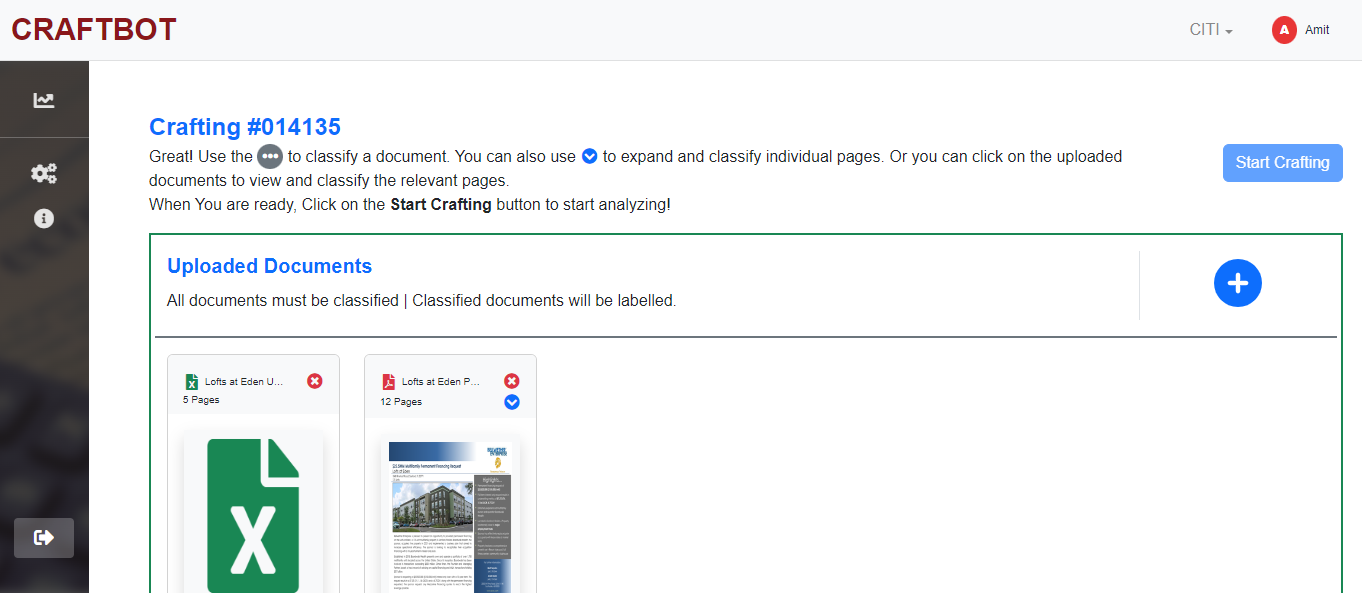
Real time review the file/files selected and select the page number reflecting cash flows. The BOT will then categorize the line items on its own. Isn’t that great!!!
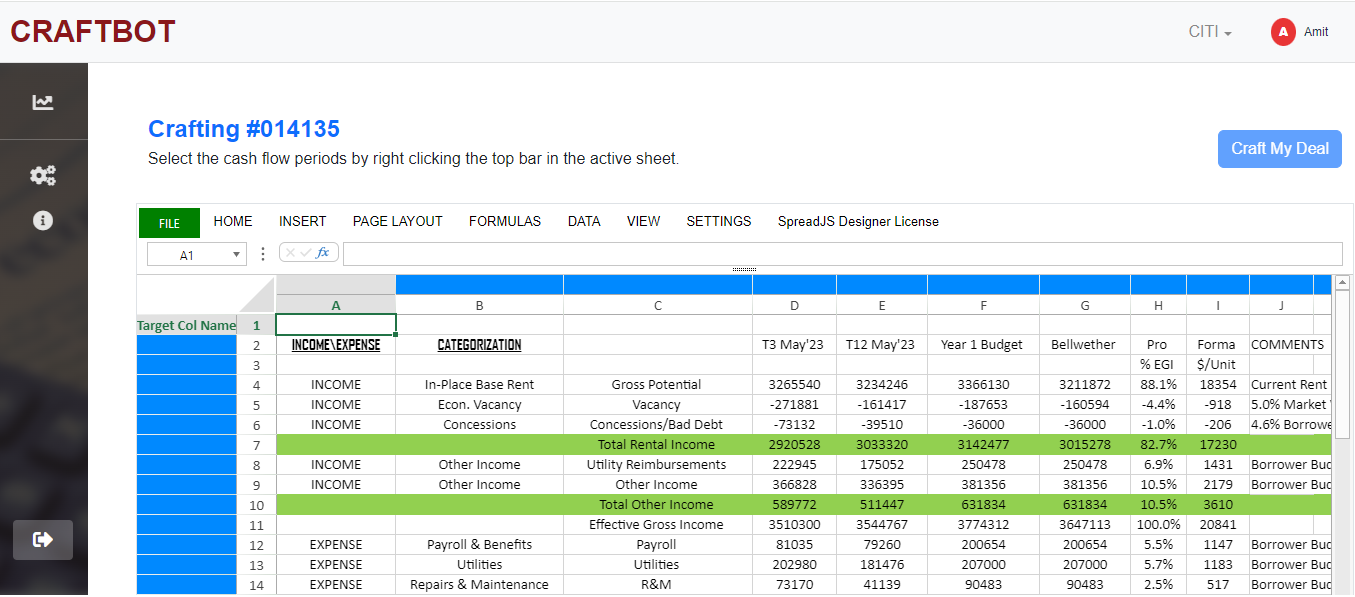
Map the categorized cash flow statements and identify number of cash flow statements you would like to reflect in the working file/Underwriting model.
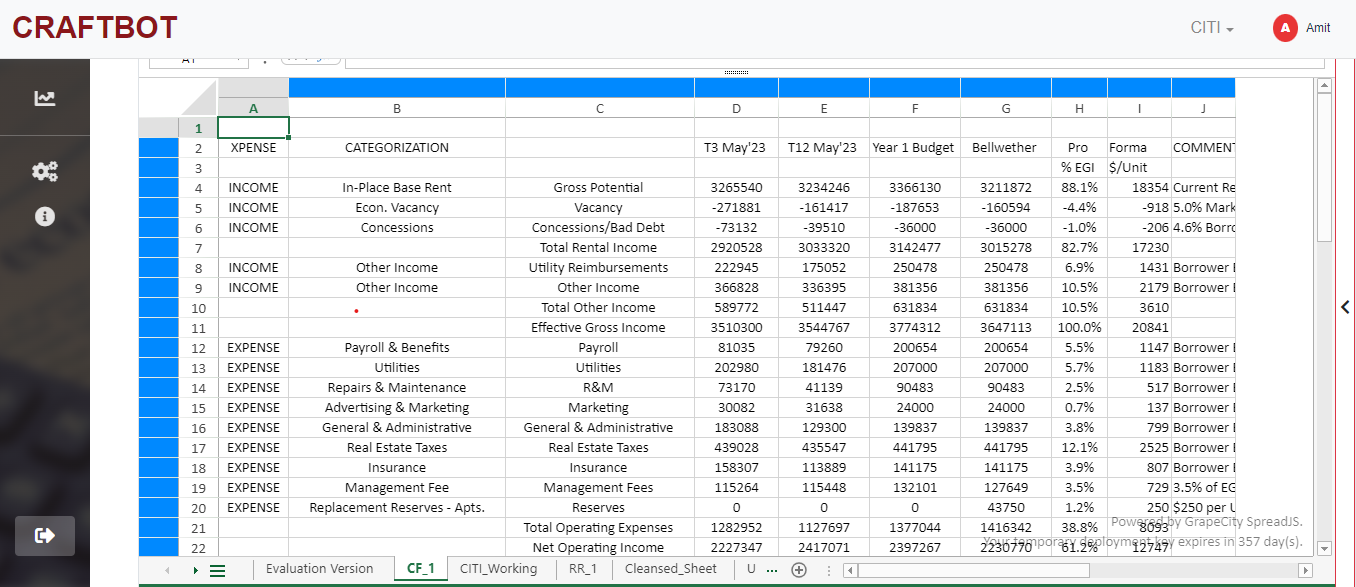
By click of a button, download the working file/Underwriting model and don’t worry in case you want to update any categorization, just go back, change and download the file again. It’s that simple.